


 Autumn 2022 saw the release of a new speech recogniser, Whisper, following the release of Wav2Vec2 (from Facebook) a few months earlier. This software comes from the company OpenAI and is (once again) quite revolutionary. It halves (or better) error margins and, in addition to the spoken language, you can also get the transcripts directly in English. The result also includes full stops, commas and other punctuation marks!
Whisper is available as Open Source, has (originally) 9 ‘models’ available and can in principle be used by anyone, provided that... you do need some programming knowledge and, of course, a reasonably fast computer.
Besides Whisper, there is also WhisperX: an extention of Whisper that recognizes the audio AND recognize who speaks (Speaker_0 till Speaker_N)
Software
 Fortunately, more and more open source packages are becoming available that run Whisper. For example, there is aTrain, GoldWave, SubtitleEdit (for Windows) and MacWhisper (for Apple), which allow you to recognise your own AV files nearly perfect.
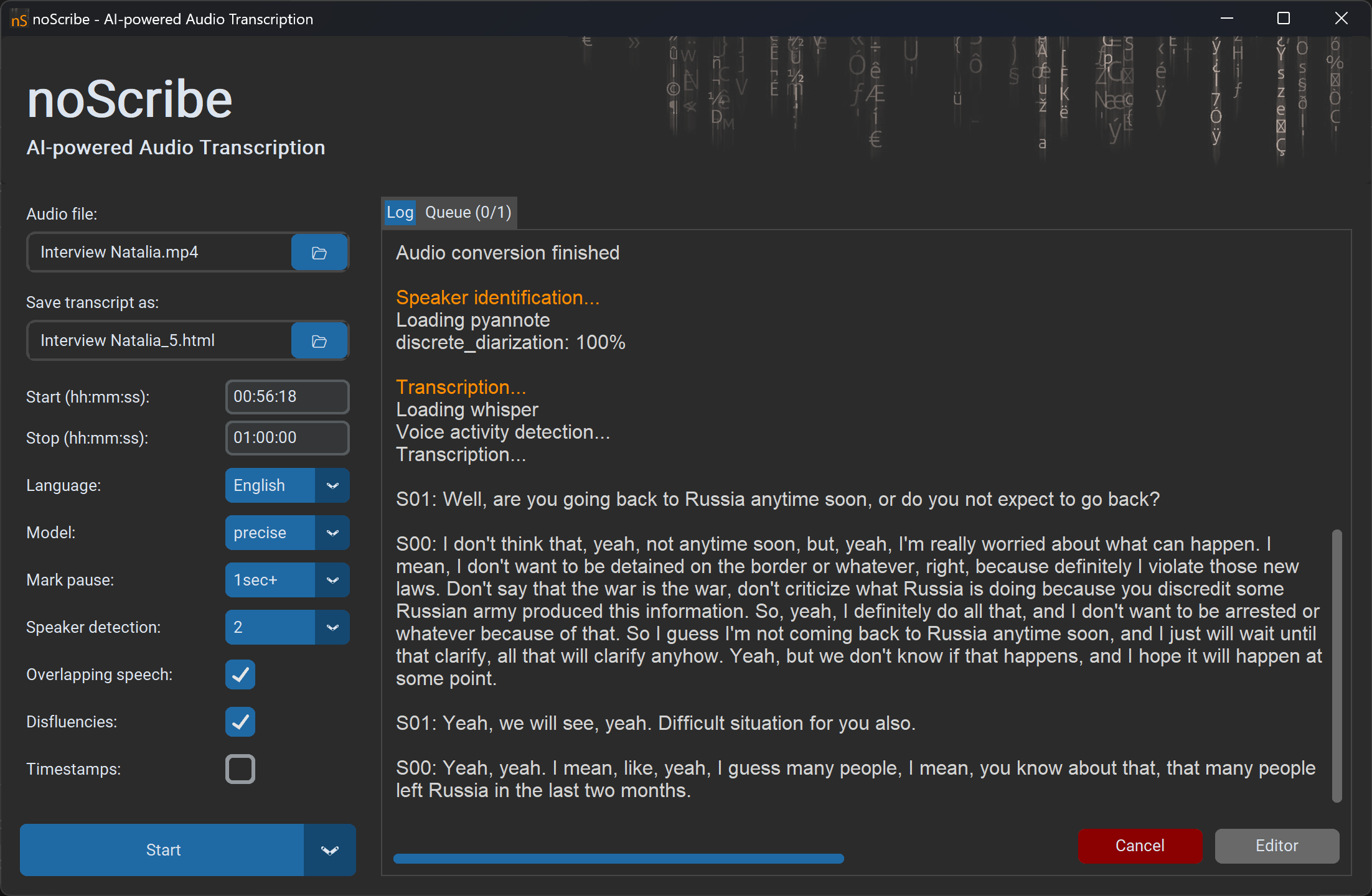
Moreover, since autumn 2025 there is noScribe: an open source Speech Recognizer running on Windows and Apple.
WarningSomebody has registered the domain noscribe(dot)ai to sell transcription services. Stay away from this platform, I have nothing to do with it. The real noScribe is free and always will be. This is obviously an attempt to profit from the popularity of my software and the reputation it gained over the years. Very sad. |
GPU
Please note that for fast recognition, you actually need on Windows a GPU. For Mac, there are the new computers with an M1 / M5 chip. If you want to know whether your Windows computer has a GPU, do the following:
- Place your mouse pointer on the start bar.
- Right-click on that bar.
- Open Task Manager.
- A tab will now open. If necessary, click on “More details” and then on “Performance”.
- Here you will find the GPU, or your graphics card.